
Your Burgmann Parent Login
The Burgmann Portal is the central hub for families to stay informed and connected with school life.
Introducing the Burgmann Portal

Access
Access to the Portal is based on your relationship with the School
New Families (Future Parents)
Families who have accepted an offer of enrolment will be provided with temporary access to the Portal. This access allows them to view the New Parent Starter Guide and prepare for their child's transition to Burgmann.
This access will be limited, with features such as your child's profile, the BAS Portal app and Consent2Go being unavailable.
Families will receive login details via email with a username and password. This access remains in place until your child officially begins at the School.
ELC Families & Coaches
Families with children only in the ELC, and sports coaches who do not have children at the School, will be given a unique Portal login.
At this time, the BAS Portal app is unavailable for families with children only in the ELC, and sports coaches.
Families and sports coaches will receive this username and password via email.
Current Families
Once your child commences at Burgmann, you will receive a second email confirming your full access to the Portal.
You will then be able to log in using your registered email address via our Parent ID Passport (PIPS) login gateway.
Logging In
Future Families, ELC Families & Coaches
Start by accessing the portal here. The portal can also be accessed via the quicklinks at the top of the website.
Select the Link ‘ELC Parent & External sign in’.
Enter the username and password provided via email.
Current Families
Start by accessing the portal here. The portal can also be accessed via the quicklinks at the top of the website, or via the BAS Portal App.
Select ‘Parent sign in’.
Here you are provided with three options:
Email and Password
Create your own secure password. You’ll use this with your registered email address.
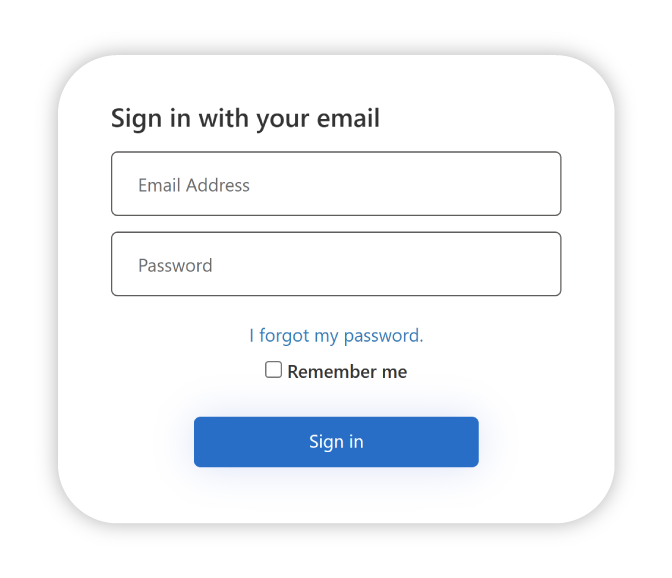
- Click on ‘I forgot my password’
- Enter your email address registered with the school and click ‘Send Passcode’
- Check your email for the passcode, then click ‘Continue’
- Enter the passcode you received and create a new password for future use.
One-Time Token
Request a code to be sent to your email. This code works for one login session only.
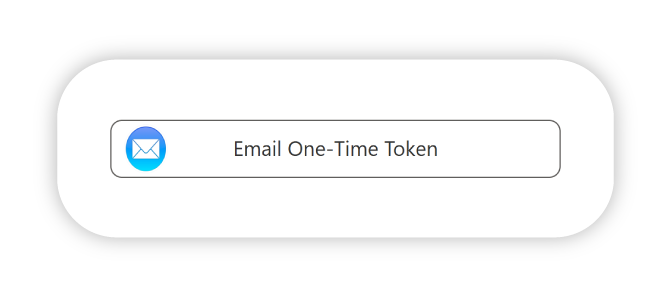
- Select ‘Email One-Time Token’
- Enter your email address registered with the school and click ‘Send Passcode’
- Retrieve the code from your inbox
- Enter the code and click ‘Verify code’, then ‘Continue’
Existing Authentication Provider
Use your Apple ID, Google, Microsoft or Facebook Account to login
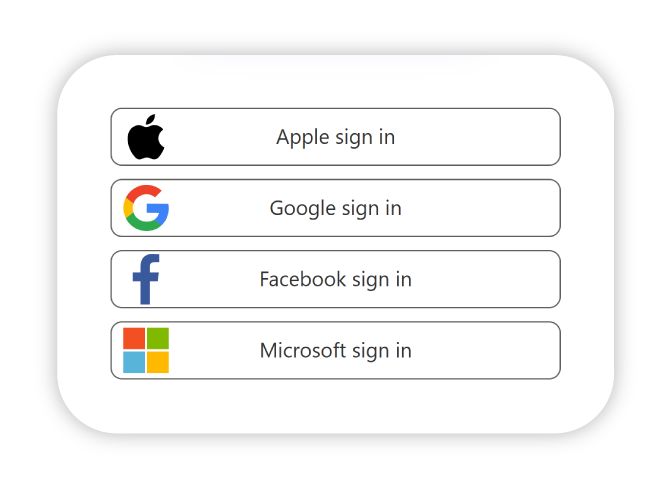
- Select your preferred provider from the login screen.
- Sign in as usual (Note: the email address used must be the same provided to the school).
- Agree to share your basic profile information (required).
- Once verified, you’ll have access to the Burgmann Portal and BAS Portal app.
What is the Parent ID Passport?
The Parent ID Passport (PIPs) is a flexible and secure login system for Burgmann parents and caregivers. It allows you to sign in to key platforms like the Burgmann Portal and BAS Portal App using a method that suits you best:
- Email and a password of your choice
- One-time token (emailed code)
- Existing Providers Google, Microsoft, Apple ID or Facebook account
All options above require that the email address used must match the email address Burgmann has on file for you.
If you need to change your default email, please provide an alternate email through Consent2Go
What are the login options?
You can choose one or more login methods:
Option 1: Email and Password
Create your own secure password. You'll use this with your registered email address.
Option 2: One-Time Token
Request a code to be sent to your email. This code works for one login session only.
Option 3: Existing Authentication Provider
Use a personal account from one of the following services:
- Microsoft
- Apple
What happens if I share an email with another parent?
Only one PIP login can be created per email. If you share an email with another parent, you will share the same login. We encourage users to have individual accounts across our core systems.
To request separate accounts, update your details in Consent2Go.
What are the password guidelines?
Please follow these guidelines to create a secure password:
- Your password must be at least 8 characters long (we recommend a minimum of 13) and can be as long as 40 characters.
- Your password must include at least three of the following four types of characters:
- Lowercase letters (e.g. a, b, c)
- Uppercase letters (e.g. A, B, C)
- Numbers (e.g. 1, 2, 3)
- Symbols (e.g. @, #, $)
Can I use a different email address?
The only email address you can use is the one Burgmann currently has on file for you.
If you wish to change the email address Burgmann has on file for you, please provide an alternate address through Consent2Go
If you no longer have access to this email address, please email: portal@burgmann.act.edu.au
I received the error 'An account could not be found for the provided user ID'. What do I do?
1. Check that the PIP Welcome Email didn't go to a different email address. It's possible the school has a different email address for you on file. If it did go to a different address, that's the address you must use to login.
2. If the PIP Welcome Email did go to the same address, or you did not receive a PIP Welcome Email, please email: portal@burgmann.act.edu.au
If you need to change your default email, please provide an alternate email through Consent2Go
Need help?
If you need help with your login or setting up your account, please email portal@burgmann.act.edu.au

A Co-educational Independent School located in Gungahlin, ACT.
We acknowledge the Ngunnawal peoples as the traditional keepers on the land on which we gather. We recognise and honour their wisdom and education traditions. We commit ourselves to actively working towards reconciliation, stepping forward with grace, commitment and wisdom on this journey.